Check the message below the fields
This is the fastest test. Open the gallery, click Gallery settings, scroll to Additional gallery photos and read the sentence below the fields:
- Sales inactive: the extra charge doesn't work, because at least one of the two fields is empty or zero,
- Paid extras active: the extra charge works,
- Full gallery package active: the whole-gallery offer works too.
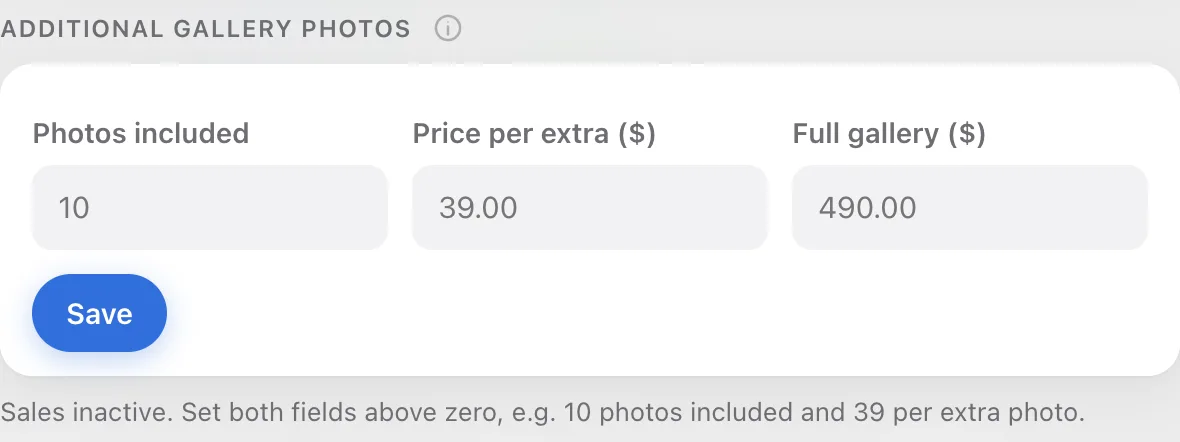
Check that you're not mixing up two fields
Gallery settings has two fields with similar names. Photos in package only controls the counter your client sees and doesn't take money. Only Photos included in the sales section calculates the extra charge.
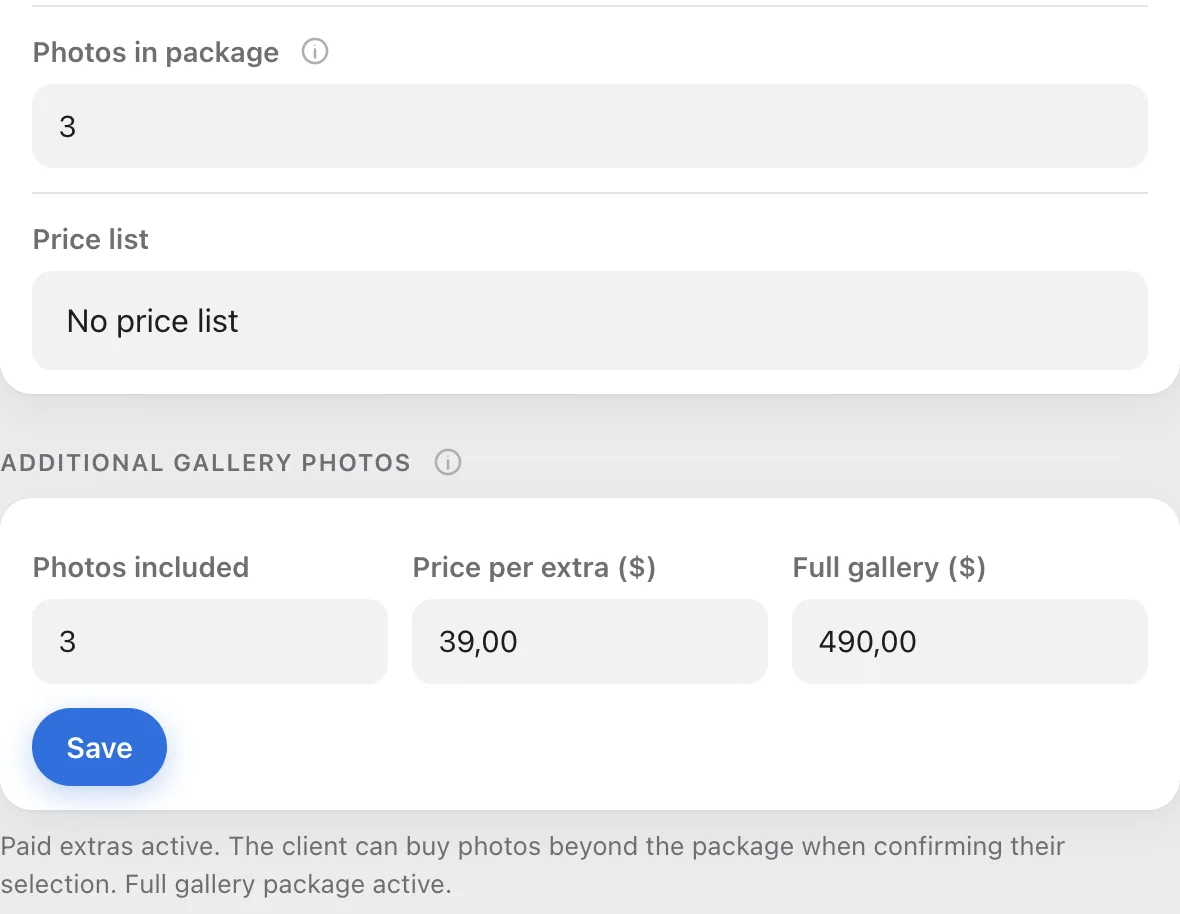
Check that your client went over the package
Sales only start with extras. If the package is 10 photos and your client picked 8, they pay nothing, and that's how it should be. You see the number of picks on the gallery page, in the "Selected" counter.
Check that you're not mixing up a price list with sales
A price list from the Pricing tab is only for show. It doesn't calculate amounts or take payments, even if you typed prices for extra photos into it.
If it still doesn't work
Gather three things: the gallery name, the number of photos your client picked, and a screenshot of the Additional gallery photos section. Send them to us through the contact form, and we'll check on our side.