One login for every gallery
Your client opens the gallery with the details from your email. There is nothing to install.
- The client signs in at picvelo.com/login with the login (or email) and password from your message.
- It works in a regular browser on a phone or a computer. The client does not register or pay.
- If you prepared several galleries, the client sees a list of them after signing in.
Picking photos
Selecting a photo takes one click, and the pick is saved at once.
- The client clicks the circle in the corner of a photo, or Select in the enlarged view.
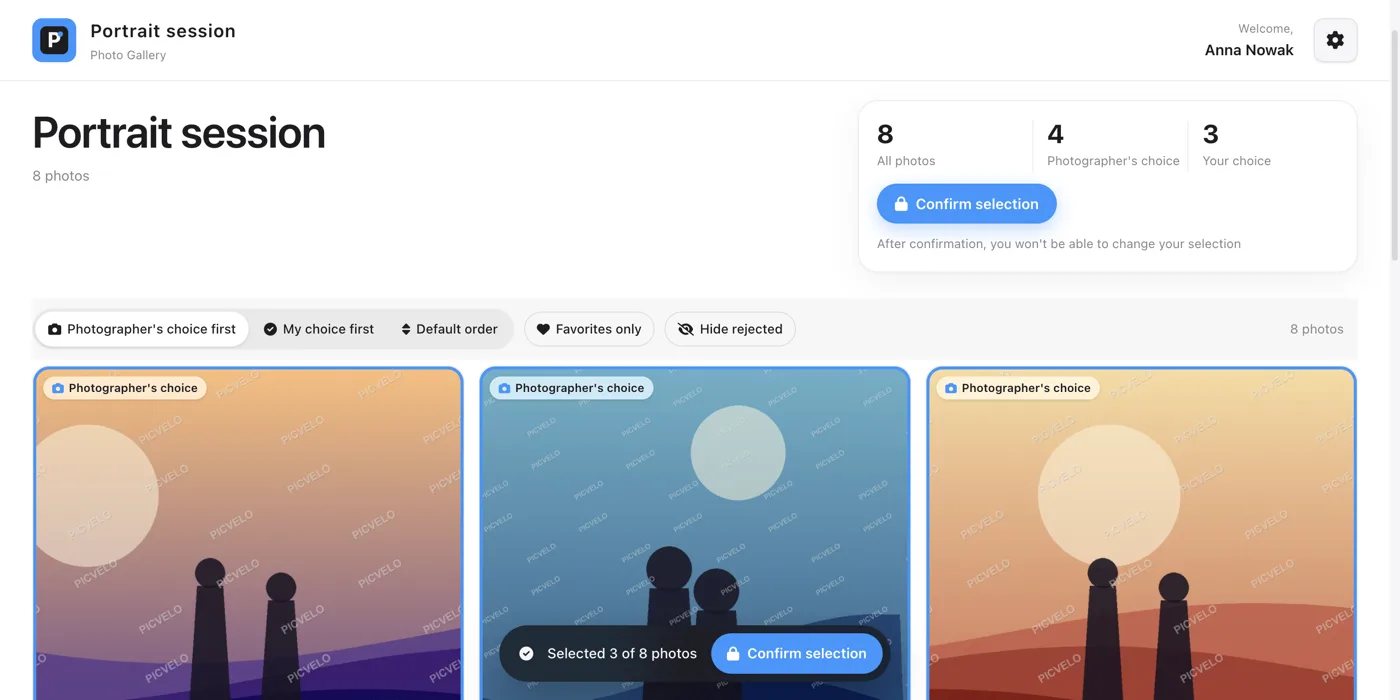
- A counter at the bottom shows how many photos are selected, and how many fit in the package if you set one.
- Filters help with a long gallery: Photographer's choice first, My choice first, Favorites only and Hide rejected.
Comments and confirmation
Nothing reaches you until the client is done.
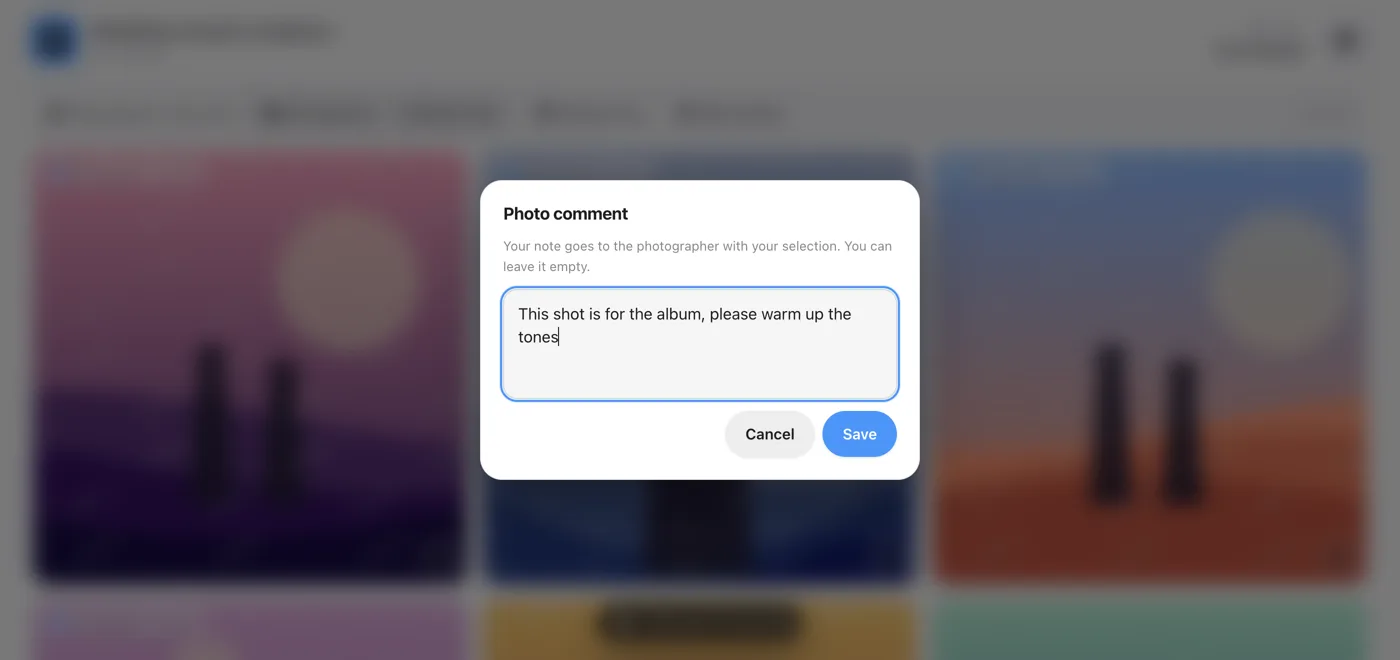
- On any photo the client can leave a short note, for example a request to crop or brighten it. The note comes to you with the selection.
- When the client clicks Confirm selection, the gallery status changes to Approved.
- In Gallery settings you set the Selection deadline and Photos in package. The package limit is a soft one: it shows the count and does not block picks.
From selection to final files
The same client gallery carries the whole workflow.
- Download the Lightroom list (TXT) with the selected file names, or a ZIP of the selected photos.
- Edit your own RAW files on your side.
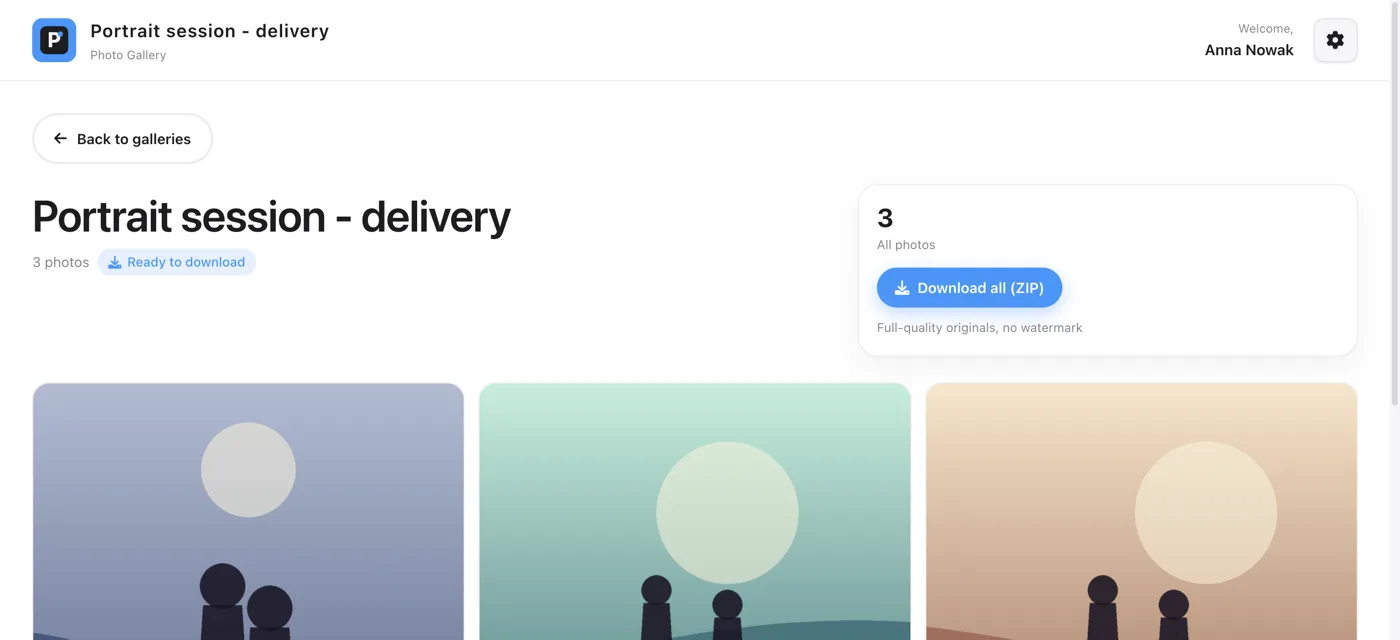
- Click Deliver final photos. Your client downloads the finished files with Download all (ZIP), full quality and no watermark.
Frequently asked questions
What is a client gallery?
It is a private page with the photos from one session that you share with the client. The client views the photos, marks the ones for editing and downloads the finished files, while you see the selection in your panel. It replaces a folder on a drive and a list of file numbers in a message.
Can clients comment on photos?
Yes. On any photo the client can open a comment window and write a note. You see the comments in the panel next to the right photos.
Does my client pay for access?
No. You create the account and send the login details. The client does not register and does not pay for access.
Can the selection be changed after the client confirms it?
Yes, on your side. In Gallery settings you switch the status from Approved back to In progress, and the earlier picks and comments stay untouched.
Password protected photo gallery · Photo proofing · Help: how clients pick photos · Pricing