Price list: what it really is
You create price lists in the Pricing tab. You attach one to a gallery through a tag, or directly with the Price list field in the Gallery settings window. Each item has a name, a price and a description. The price is plain text, so you can type "300 €", "from 20 euros" or "ask me". Your client sees the list above the photos in their gallery, in a collapsible "Pricing: name" box.
And that's it. A price list doesn't add anything up, doesn't check how many photos your client picked, and has no payment button.
Sales: what actually takes money
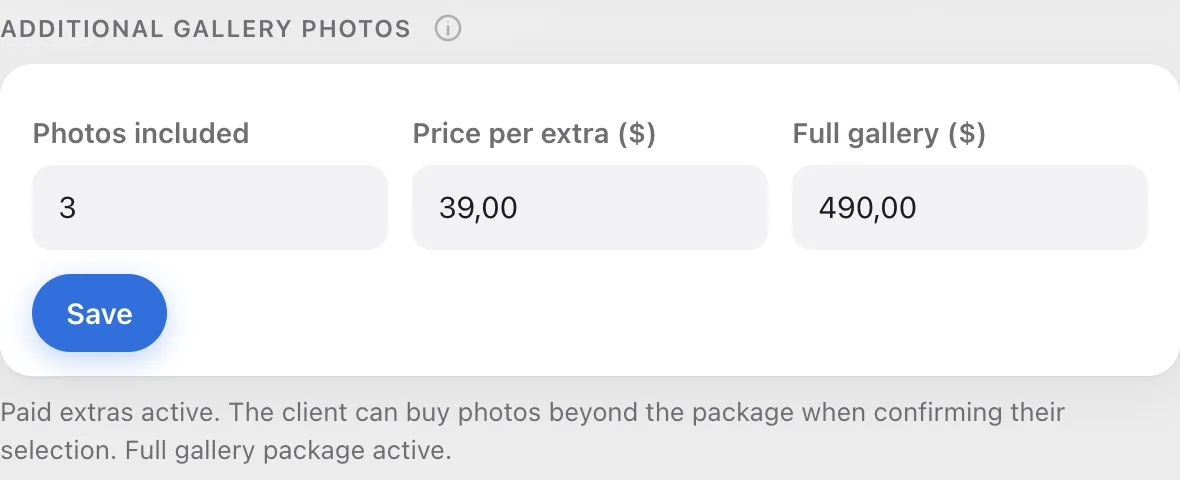
Money is taken by three fields in the Gallery settings window, under Additional gallery photos. They count the extra photos, start the payment and lock the photo download until it's paid.
How to use both together
They work best together. Your client doesn't see the extra-photo price next to the counter, so a price list is a good place to state it in plain text. When a price list is attached to the gallery, a client who goes over the package gets a See pricing link by the counter that scrolls to it.