1
A list instead of a single gallery
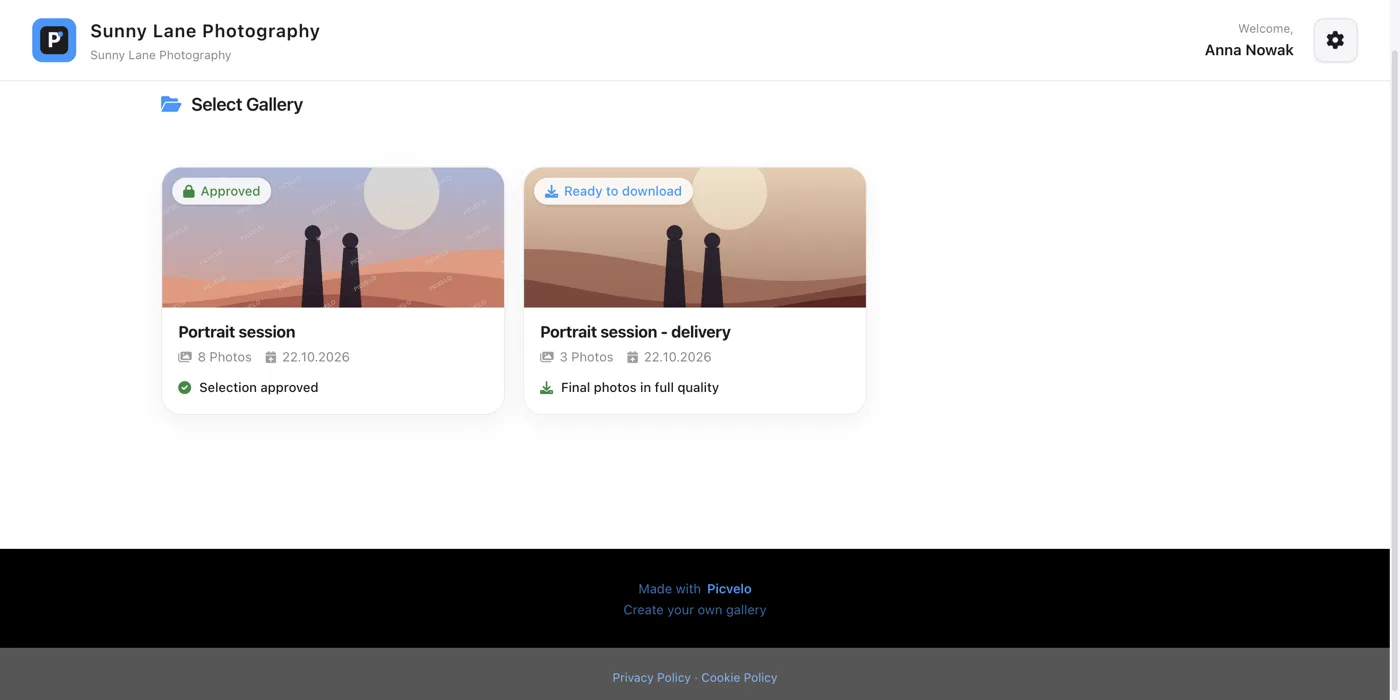
With one gallery, you see your photos right after you sign in. With two or more, you first get a list of tiles, each with a cover photo, a name, the number of photos and the date it was created.
2
What the badges mean
- Awaiting approval: the gallery is waiting for your selection,
- Approved: your selection is already closed,
- Time expired: the selection deadline has passed,
- Ready to download: the gallery holds your final photos and a download button.
If your photographer set a selection deadline, you'll also see its date on the tile.
3
Moving between galleries
In an open gallery, above the photos, there's a Back to galleries link. It takes you back to the list without losing anything you've selected. Each gallery has its own selection, its own deadline and its own confirmation.
4
Galleries from different photographers
Each account is created by a specific photographer, so if you work with two different photographers on Picvelo, you have two separate logins and passwords. Your list only shows galleries from the photographer whose details you used to sign in.