Wait for the download gallery
After you confirm your selection, your photographer edits the photos and only then creates a separate gallery with the final files. You open it with the same login and password, so you won't get any new sign-in details.
Find it in your list
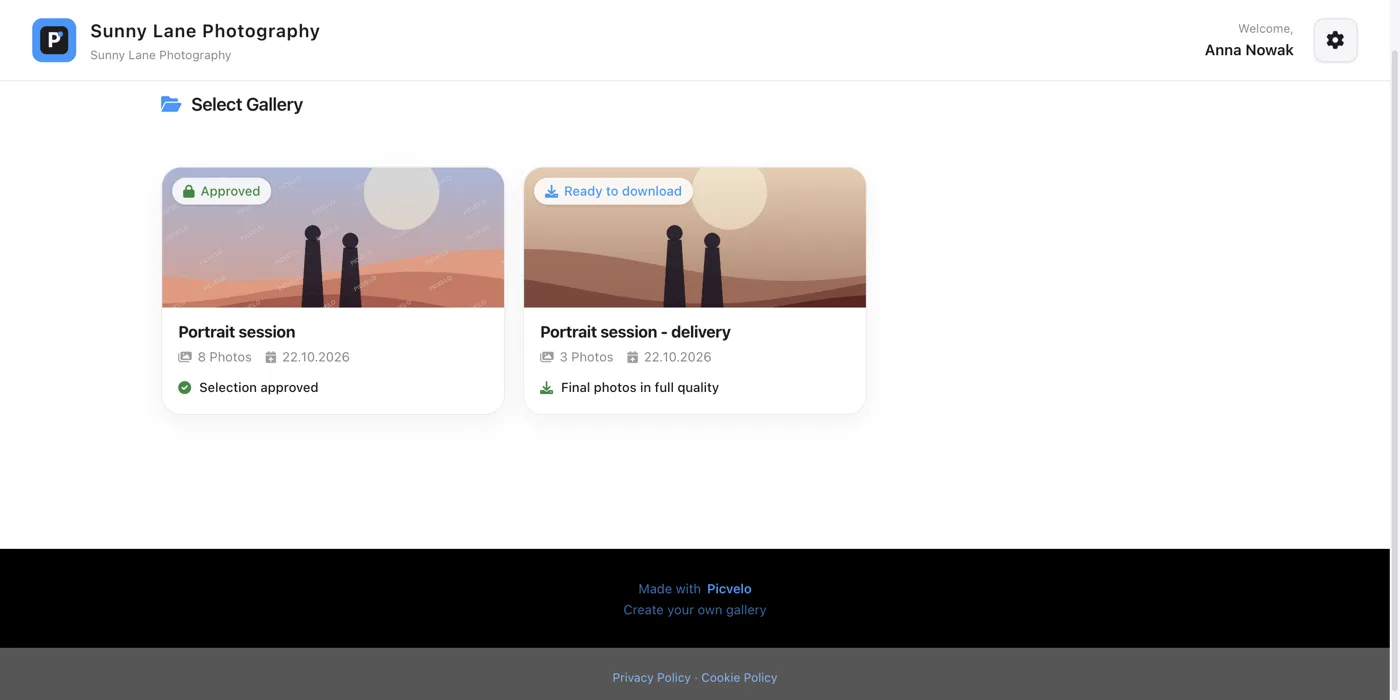
If you have several galleries, the delivery one has a Ready to download badge and the caption Final photos in full quality.
Download the file
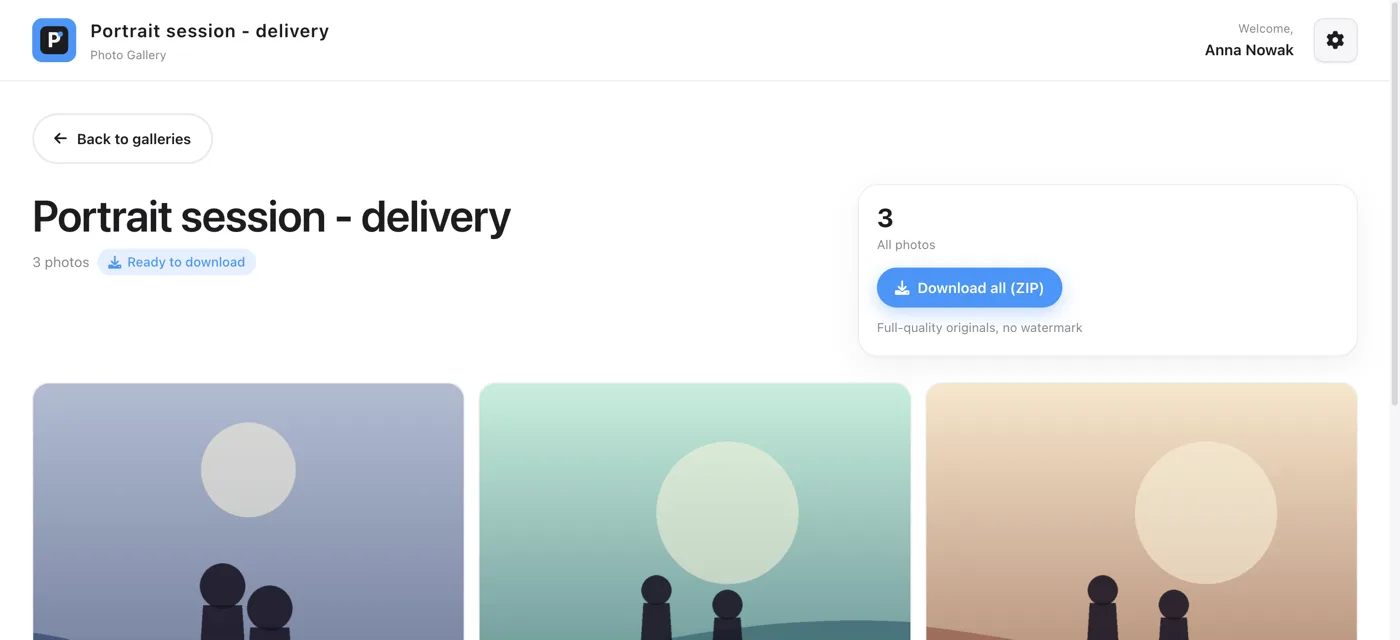
Inside there's a Download all (ZIP) button with the caption Full-quality originals, no watermark. Clicking it downloads one ZIP file with all your photos.
The file is as large as your photos, so for a big shoot it can be hundreds of megabytes. Download it on a computer with a stable connection, not on your phone on the go.
Unzip it and save your photos
A ZIP file opens with a double click on Windows and on a Mac, with no extra software. Copy your photos to your drive or to cloud storage right after downloading. The gallery isn't your archive: your photographer can close it at any time.