Where the logo comes from
By default, from the Logo tab in the side menu. The same file goes into the gallery header and into the email. If you don't upload one, the email shows the Picvelo logo.
Three logo modes in a template
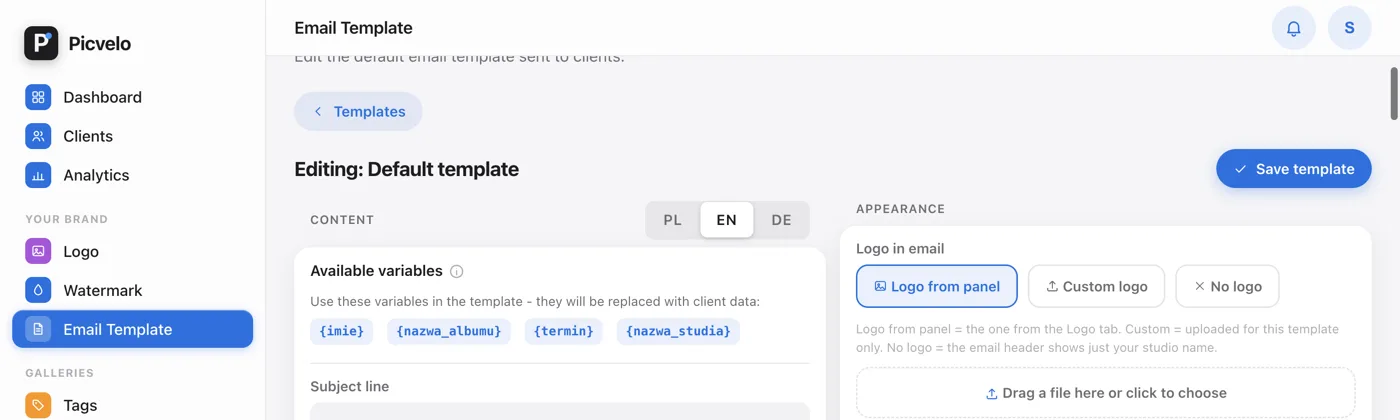
On Pro and Studio, every email template, including the default one, has its own logo setting in the Logo in email section, in the Appearance column of the editor:
- Logo from panel: the same one as in the Logo tab,
- Custom logo: a file uploaded for this template only,
- No logo: the header shows just your business name.
Size and shape
In the same column, under the colors, you set the Logo size (small, medium, large) and the Logo shape. The Full, no background shape shows the logo on its own, without the white capsule behind it, so wide logos don't get cropped.
Asking for a Google review
The Logo tab also has a Google review link field. In your Google Business Profile, click "Ask for reviews", copy the link and paste it into this field. Three days after a client first downloads photos from a delivery gallery, they get one email asking for a review, with a button that leads to this link. Leave the field empty to turn the request off. It works on any plan.