Check that you're on the right page
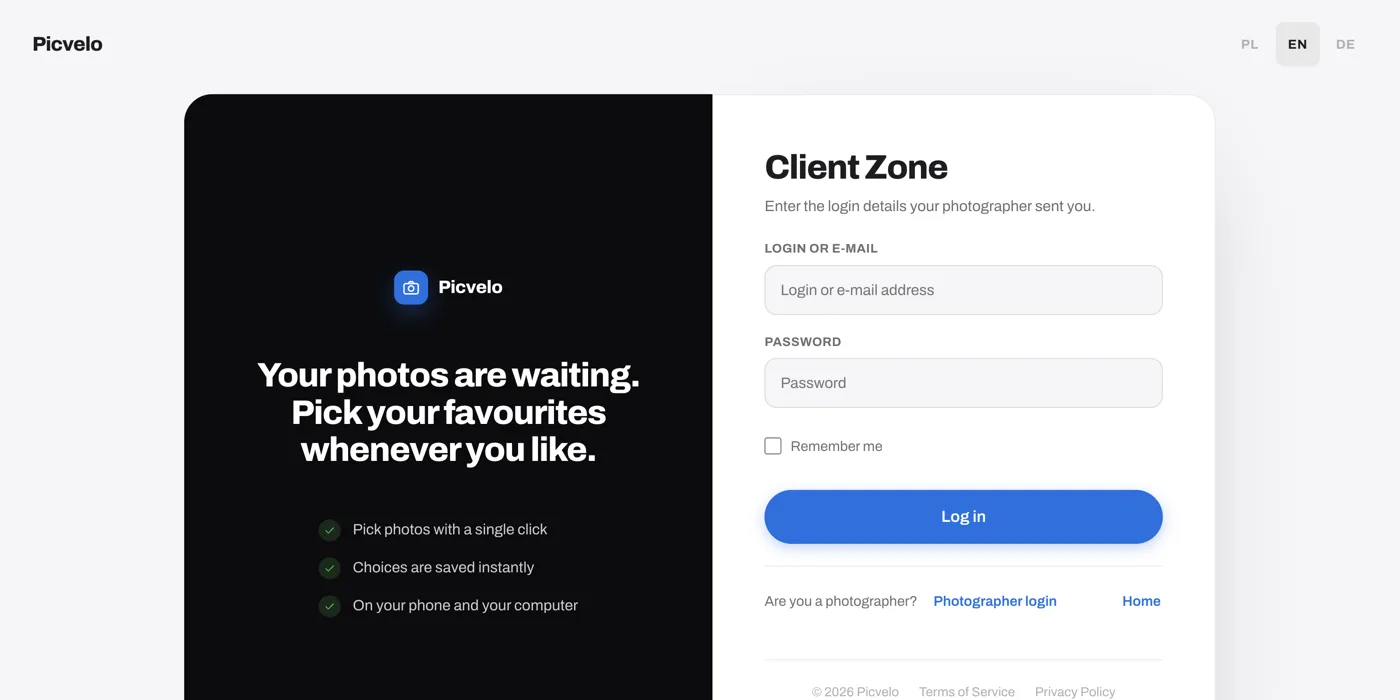
Picvelo has two separate sign-in pages. Yours is the Client Zone at picvelo.com/login. The other one, Photographer login, leads to the photographers' panel, and your details won't work there. This is the most common reason for an "invalid login or password" message.
Check what you typed
- in the first field you can type your login or your email address, both work,
- the password is case-sensitive,
- a password pasted from an email often picks up a space at the end. Clear the field and type it by hand,
- make sure you're using the latest message from your photographer. If they changed the password, the old one stopped working.
Wait after several failed attempts
After several failed attempts in a row, sign-in is blocked for a while and you'll see a message about too many attempts. You may also get an extra check that you're not a robot. This protects your gallery from password guessing. Wait about 15 minutes and try again, calmly and carefully.
Write to your photographer
If nothing helped, contact your photographer. Only they can set a new password for you or fix the email address on your account. Picvelo won't change your password without them, because you're their client and it's their gallery.