Download your data export
In the side menu of the panel, click Security. In the Account section, choose Data export (GDPR), confirm with your password and click Export Data. You get a JSON file with information about your account, clients and galleries. Download photos separately, from each gallery.
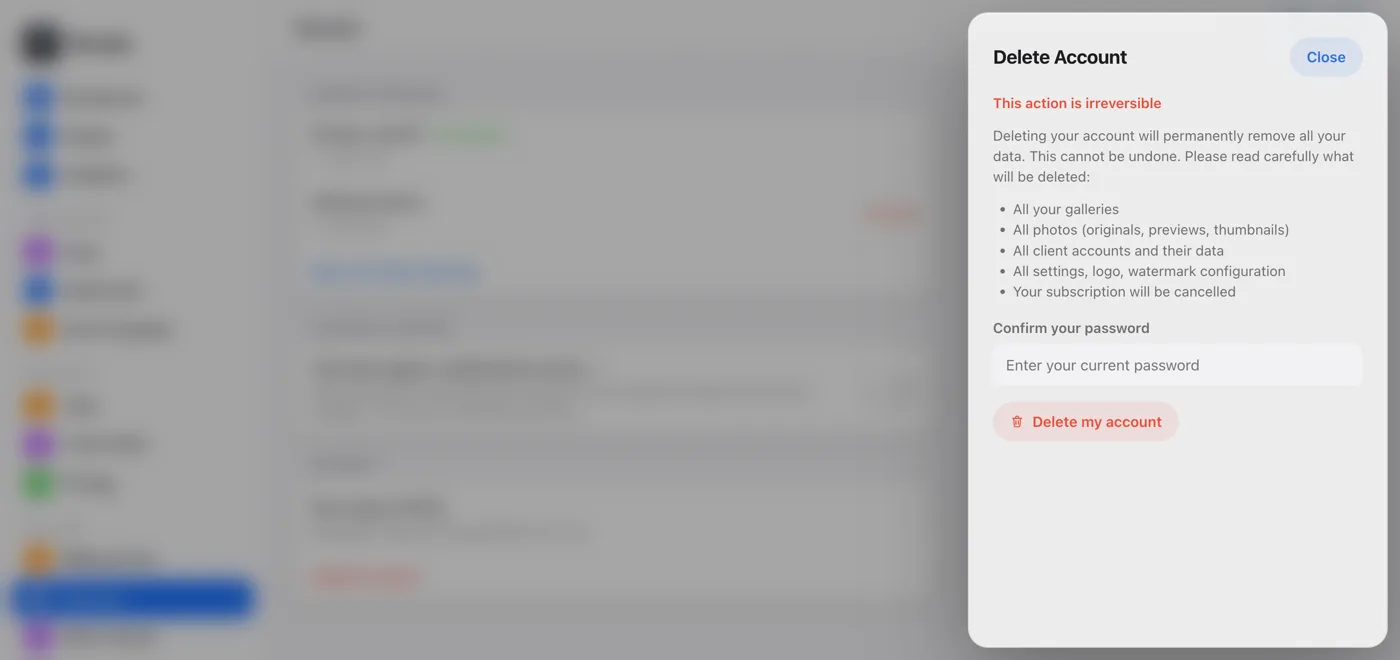
Open the Delete Account window
In the same Account section, click Delete Account (you can open the same window from the account menu under your initial in the top right corner). The window lists what will be deleted: galleries, photos, clients, settings and your subscription.
Confirm with your password
Type your current password in the Confirm your password field, click Delete my account and confirm in the pop-up. Without the correct password, nothing starts. If you created the account with Google, Facebook or Apple and haven't set a password yet, set one first: the window has a Send me a link to set a password button.
This can't be undone. Galleries, photos, client data and settings will be permanently deleted.
Click the confirmation link in the email
We send an email with a link that works for 24 hours. The link opens a page with a Yes, delete my account button, and clicking it deletes the account and all data right away. If you don't click, your account keeps working as before, and the link expires after 24 hours.
[email protected]
We received a request to permanently delete your account. Nothing will be removed until you confirm it with the button below.