Open the Analytics tab
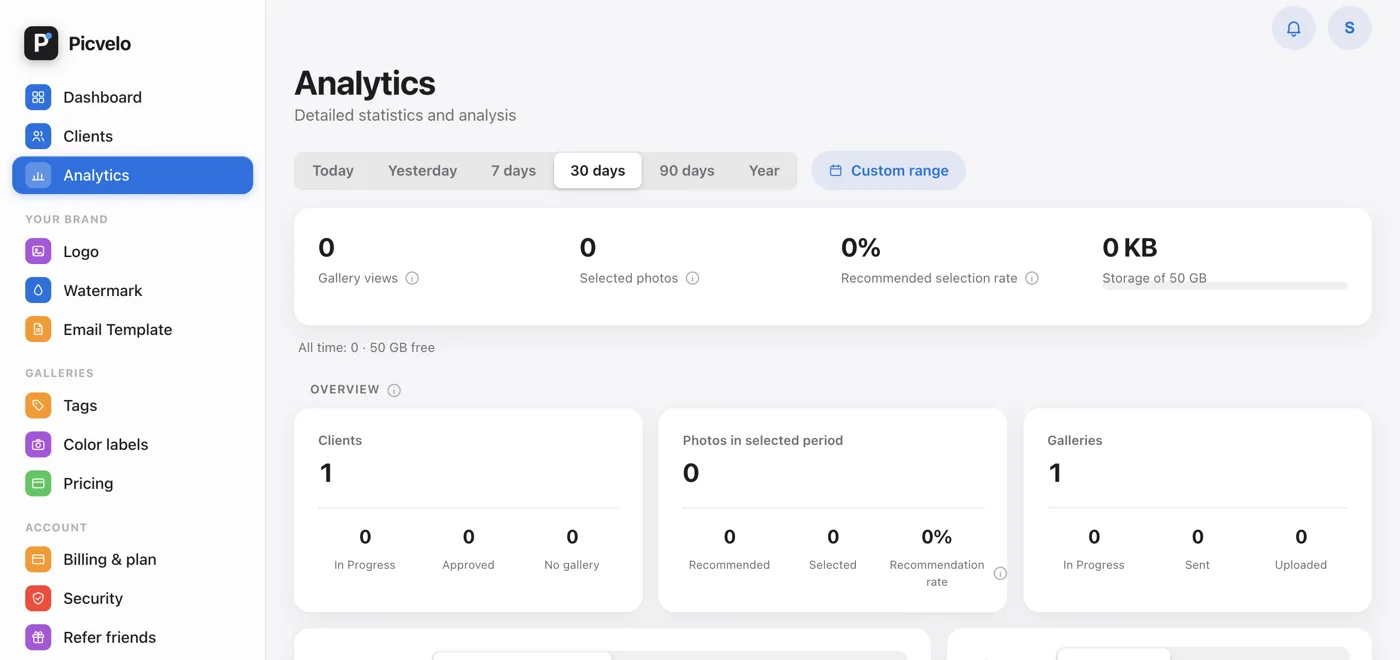
In the side menu, click Analytics. At the top you choose the range: Today, Yesterday, 7, 30 or 90 days, Year or a Custom range from the calendar.
Check the key numbers
The strip at the top shows four numbers: Gallery views, Selected photos, Recommended selection rate and storage used. Below it you see how views compare with the previous period. Further down, under Overview, there are cards for clients, photos and galleries.
See how your recommendations do
The Recommended selection rate shows what percentage of the photos you marked as photographer's picks end up in your clients' selections. It's the simplest way to check whether your picks match your clients' taste.
See your most active clients
On Pro and Studio, the Clients card has a Most active list: who opened their galleries most often in the chosen period and how many photos they picked. A client who got the gallery a week ago and still has zero visits is a good candidate for a reminder.