1
Check the supported formats
You can upload:
JPG/JPEG: the standard for photography,PNG: lossless, handy for graphics with transparency,WEBP: a modern format with better compression than JPG.
RAW files (NEF, CR2, ARW) and HEIC files from an iPhone aren't supported. Export them to JPG first.
JPG
JPEG
PNG
WEBP
RAW not supported
HEIC not supported
2
Keep each file under 50 MB
A single file can't be larger than 50 MB. We check the format by the file's content, not its extension, so a RAW file renamed to .jpg gets rejected.
⚠ Unsupported file
DSC_0041.NEF has an unsupported format. Export your photos to JPG, PNG or WEBP.
3
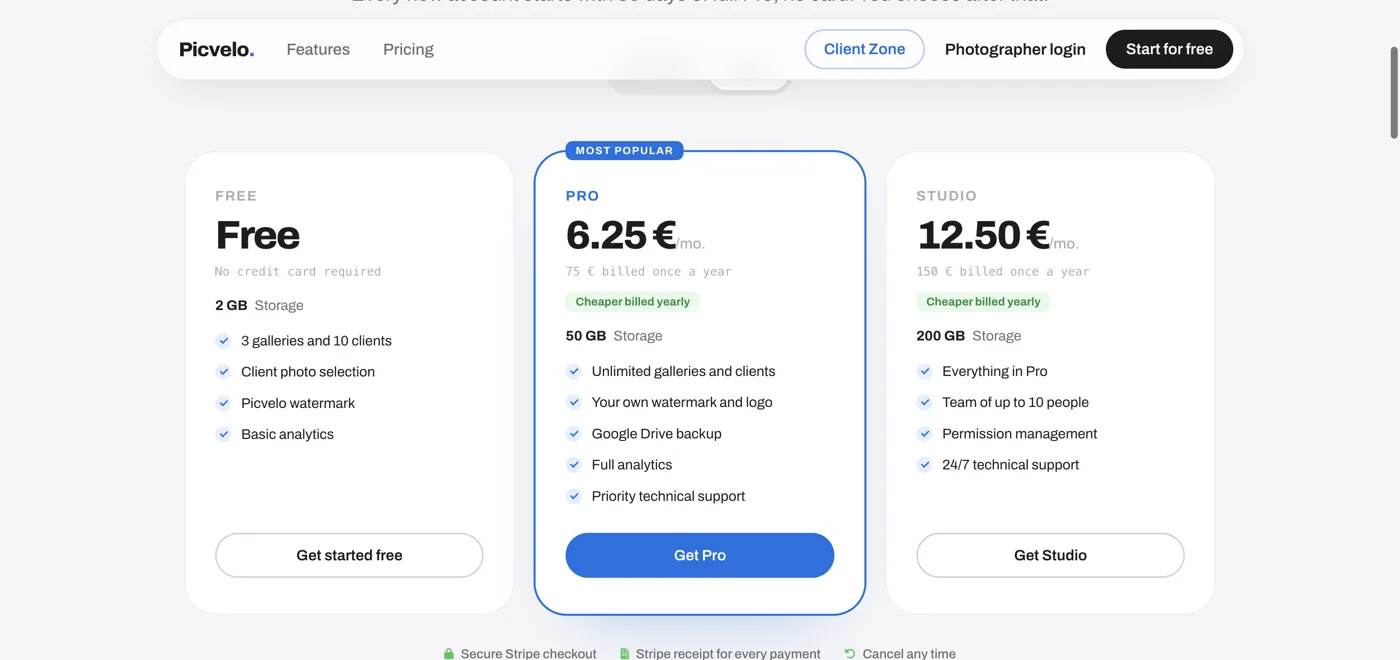
Check your plan's storage
What counts is the total size of your uploaded photos:
- Free: 2 GB, 3 galleries, 10 clients,
- Pro: 50 GB, unlimited galleries and clients,
- Studio: 200 GB, unlimited galleries and clients.
You can add more storage in +50 GB packs.
4
Optimize your export before uploading
For selection, a JPG around 2500 px on the long side at 80 percent quality is plenty. A selection gallery keeps a working copy resized to 2560 px anyway, so bigger files only make the upload take longer.
Lightroom - Export
File formatJPEG ▾
Quality80
ResizeLong edge: 3000 px
Output~ 1.8 MB / file