Label photos in your editing app
Give your photos color labels the way you usually do. We support five colors: red, yellow, green, blue and purple. The label has to be saved in the exported file (XMP).
Upload the photos to the gallery
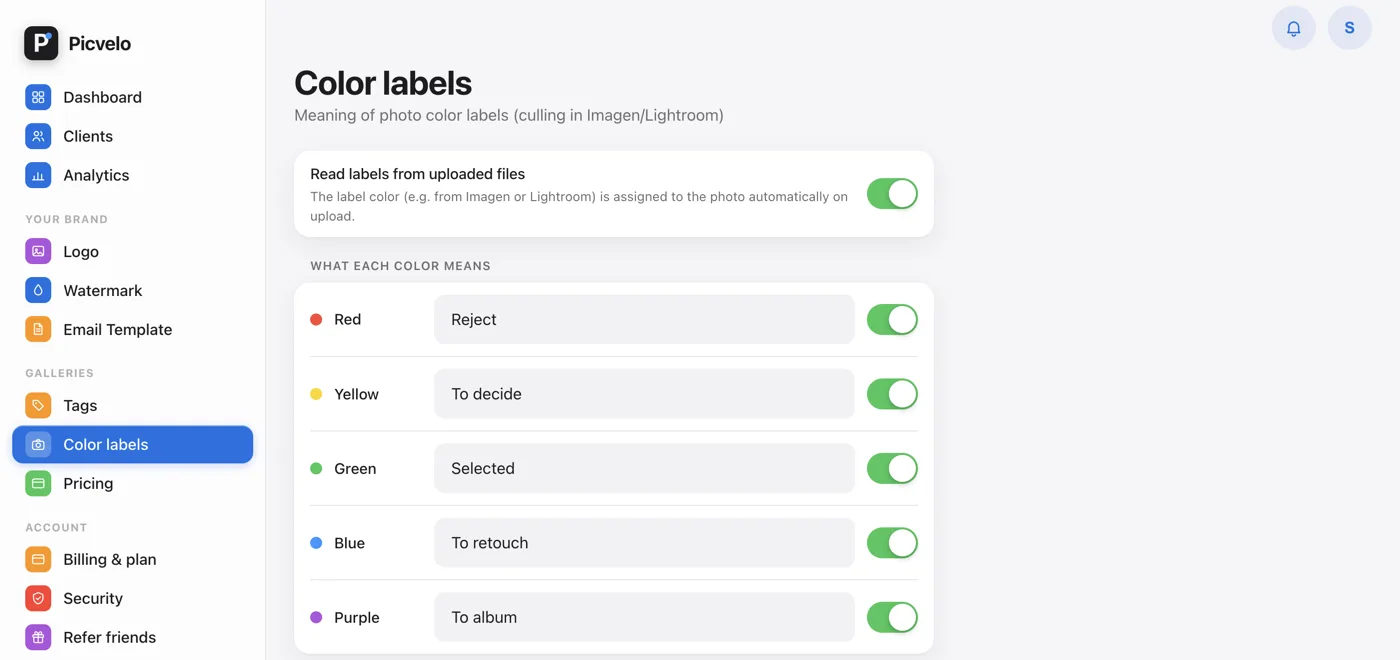
On upload, we read the label from the file and save it with the photo. You can turn this off with the Read labels from uploaded files switch in the Color labels tab, if you'd rather add labels by hand.
Give the colors a meaning
In the side menu, go to Color labels. You can give each color your own name, for example green = "Selected", red = "Reject", yellow = "Undecided". You can turn single colors off with the switch next to them. Changes save on their own.
Work with labels in the panel
Each photo has a colored dot. Click it to open a small color picker; clicking the color that's already set removes the label. This is your working layer: your client doesn't see labels in their gallery.