
Converting color photos to black and white is one of the oldest tricks photographers have. It’s not just about simply lowering color saturation, but rather making a conscious tonal decision. Black and white can emphasize emotions, contrast, and texture, completely changing the perception of the image. In a world full of colors, it's essential to understand when the absence of color becomes the greatest asset of a photograph.
Basics of Converting Photos to Black and White
Black and white photography is not just about removing color. It’s worth focusing on the contrasts and tones that provide depth and clarity. When working with tools in Lightroom or Photoshop, it’s crucial to understand how individual colors affect their grayscale counterparts. The B&W slider in Adobe Lightroom allows you to manipulate brightness for specific base colors, helping shape the image to your expectations.
Using the B&W Slider in Lightroom
Lightroom features a B&W panel with eight sliders that control how primary colors change after converting to black and white. This allows you to brighten skin tones (Orange slider +20) or accentuate the dramatic clouds (Blue slider -30). For green tones, raising the Yellow slider (+15) can help bring out leaf textures. By making subtle adjustments with these sliders, you can create various moods and atmospheres in your photos.
Conversion Techniques in Photoshop
Photoshop offers advanced capabilities for converting images to black and white. Using the Black & White Adjustment layer helps in precisely selecting tones with sliders. For enhancing the image’s flexibility, the Luminosity blending mode is applied. A popular technique is also dodging and burning on a 50% gray layer, allowing for precise lightening and darkening of selected parts of the photo. Finally, an S-curve is often used to enhance contrast.

Main Styles of Black and White Photography
Black and white photography features various styles depending on processing techniques. High contrasts dominate in street photography, often with minimal midtones. On the other hand, the low-contrast style resembles Ilford XP2 film, characterized by soft grays. An interesting approach involves approximately ten-minute long exposures, which add a surreal effect in black and white, ideal for highlighting the dramatic motifs of nature.
Decisions on Conversion: When and Why?
One of the key aspects is deciding whether a photo genuinely benefits from black and white conversion. The fundamental question is: Does the composition and light stand on its own without color? If the answer is yes, a black and white image can enhance emotions and expression. In scenes where color plays a central role, a hasty conversion may weaken the impact of the photo. Examples include sunsets or vibrant mosaics, which lose their allure once color is removed.
Most Popular Subjects in Black and White Photography
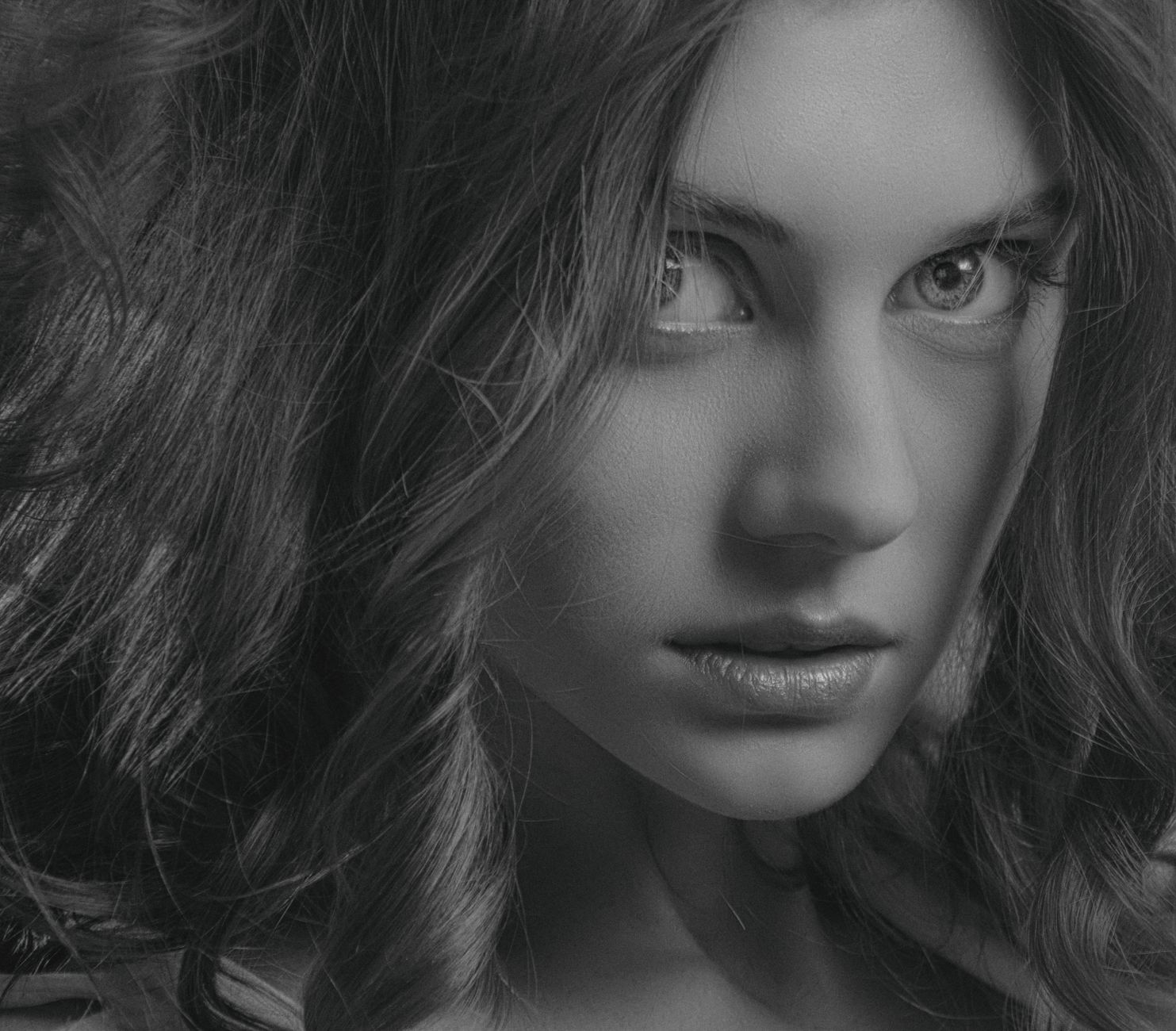
Black and white images have classic applications in various genres: male portraits with shallow depth of field, where skin texture and facial expression take center stage, or street photography, where deep contrasts add drama. Long exposures, especially of water and architecture, also look stunning in this palette, emphasizing geometry and movement. Documentary photos gain gravity and focus on the subject, while nudes retain elegance through subtle outlining of body lines.
The Importance of Contrast in Black and White Photography
Contrast is a key component of black and white images. Proper use of sunlight or artificial light sources can add depth and highlight details. In the editing process, manipulating curves and levels helps achieve the desired effect. Minimizing midtones while enhancing bold shadows and bright highlights gives the image new dynamics and expression.
Experimenting with Long Exposures
Long exposures in black and white can produce incredible effects. Water and clouds gain dynamism and abstraction when their motion is captured this way. ND10 filters are often used to extend exposure time, allowing you to experiment with light and composition in extraordinary ways. This technique works particularly well in landscape photography and urban panoramas, creating a surreal mood.
How Picvelo Can Help
How Picvelo can assist in black and white photography? Our platform makes it easy to create client galleries, offering features like photo selection and watermarking. With Picvelo, you can easily share your work, and clients will appreciate convenient access to the photos. Learn more at homepage.
Summary
Black and white photography continues to fascinate and inspire. Mastering conversion techniques allows you to transform ordinary photos into expressive images full of emotion. Don't wait, start experimenting with black and white tonality and discover new possibilities in your creativity!
FAQ
What are the best practices for conversion in Lightroom?
In Lightroom, use the B&W panel with sliders to control the brightness of base colors. Adjust them to create interesting tonalities. For dramatic effects, consider changing settings for the sky (Blue -30) or skin (Orange +20).
Is Photoshop the best tool for black and white conversion?
Photoshop offers advanced conversion capabilities with the Black & White Adjustment feature that allows for precise tonal editing. Adding dodge & burn or using the Luminosity mode significantly enhances control over the image.
When is it worth choosing black and white photography?
When composition and light dominate the photo and color doesn’t play a key role, converting to black and white can sharpen emotions and emphasize textures. Avoid conversion if color is a vital element.
What subjects best present in black and white?
Portraits, street photography, and long exposures of water and architecture are classic themes for black and white photography. Each area benefits from highlighting shapes, contrast, and light.
How to achieve surreal effects in black and white photography?
Surreal effects can be achieved through long exposures and ND filters. Stable tripods and extended exposure times create abstract, dynamic images of water and clouds.
Does every photograph lend itself to black and white conversion?
Not every image benefits from black and white conversion. It’s essential to assess whether the photo primarily relies on color, such as sunrise landscapes, which can lose their charm without color.