
HDR, or High Dynamic Range, is an advanced photographic technique that can transform an ordinary photo into a spectacular image. But when should you use it, and when should you avoid it to prevent getting an artificial 'plastic' look? Proper use of HDR allows you to capture scenes with a wide tonal range where traditional methods would fail. On the other hand, excessive use of this technique can lead to unwanted aesthetic issues like excessive haloing or unnatural colors. Let us show you how to wisely utilize HDR to enhance the quality of your photos and avoid photographic pitfalls.
What is HDR and how does it work?
HDR, or High Dynamic Range, is a technique for combining several photos taken at different exposure levels into one image that represents a wide range of tones from very bright to very dark. This process involves taking several photos in quick succession, often using the bracketing function available in modern cameras. The photos are then merged using specialized software, like Lightroom or Photoshop, allowing you to capture details in shadows and highlights that a single shot could not record. Depending on the scene, typically 3 to 5 photos are taken with an exposure difference of two EV values between shots to optimize the dynamic range without generating artifacts. HDR is particularly useful for photographing landscapes in daylight or interiors with bright light.
When does HDR make sense?
HDR proves invaluable when photographing scenes with high contrast, such as landscapes with visible sunlight or interiors with bright windows. In such cases, the tonal range of the scene can exceed 12 stops, and a single exposure cannot capture all the details in both the bright and dark areas of the image. The HDR technique allows for capturing richness in detail and shades across the image, which may be impossible with a single shot. It is also an excellent method when photographing concerts, where spotlights may illuminate the stage but leave the audience in darkness. With HDR, you can achieve dynamic and lively images without compromising the quality. It's important to remember that HDR does not replace long exposure photography or the skill of lighting a scene well.
When is HDR not recommended?
Despite many advantages, HDR is not always appropriate. For instance, when photographing portraits, HDR can lead to unnatural skin tones, adding unwanted halos around subjects. In most cases, full-frame cameras offer enough dynamic range to capture details in shadows and highlights without needing HDR. Another problematic scenario is fast-paced reporting, where the time needed to take a series of shots may lead to missing a critical moment. HDR is also ineffective in night photography, where it may introduce unfortunate lighting effects when using high ISO values. In such cases, manual exposure and the interplay of available photographic accessories might be a better solution.
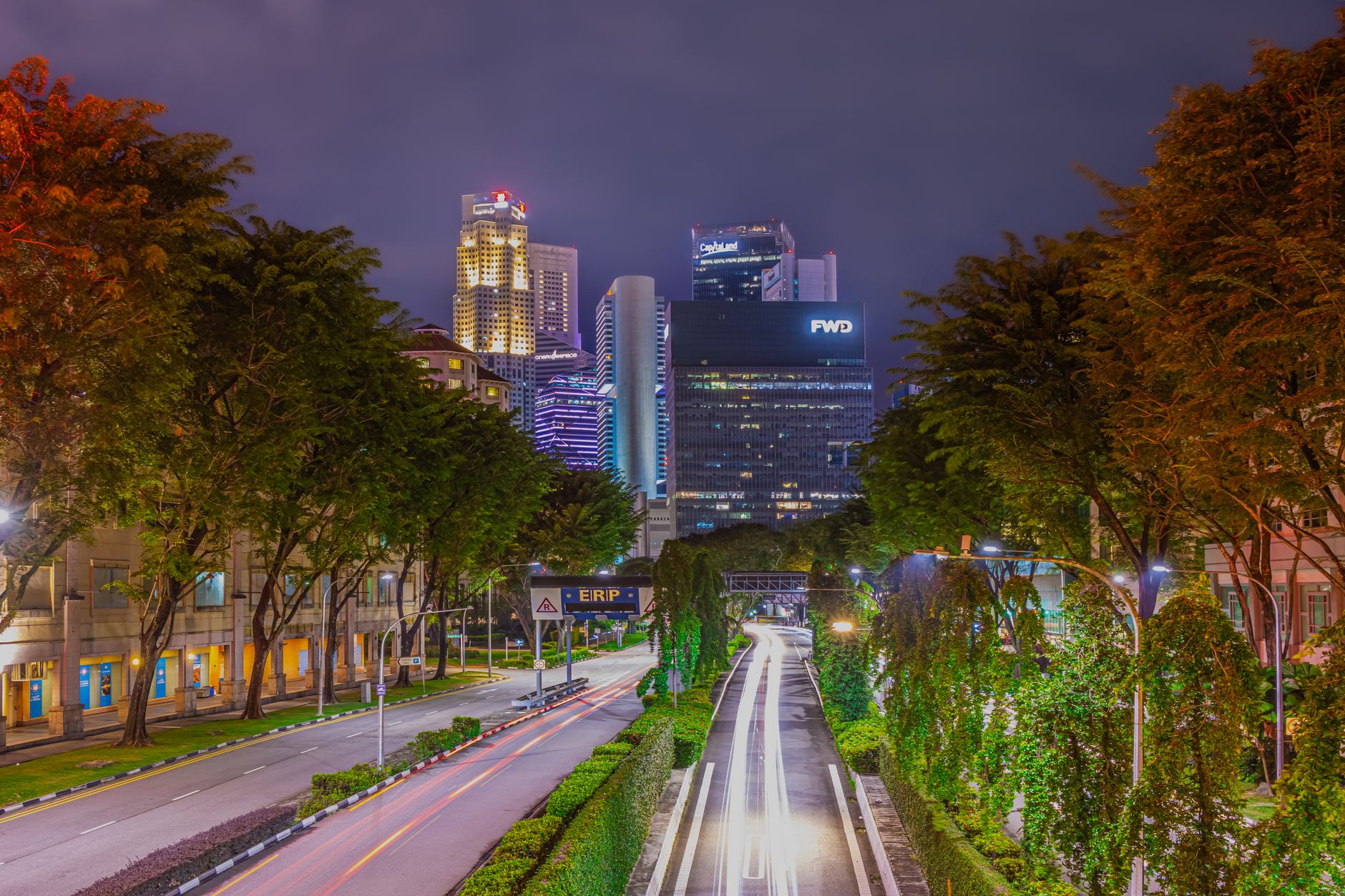
HDR Workflow for Beginners
To effectively utilize HDR, it's wise to start by learning exposure bracketing, which allows you to capture scenes at various brightness settings. The standard method involves taking 3-5 photos at 2 EV intervals, which allows capturing both dark and bright details without losing quality. Using a tripod is crucial, as any shift in the camera during a series of shots can lead to ghosting effects. The next step is to use software for merging photos, such as Adobe Lightroom or Photoshop, which offer HDR merging capabilities. It's also beneficial to experiment with manual exposure blending in Photoshop for greater control over the final effect. With gradient masks, you can subtly blend different parts of the photo, achieving a natural look.
Rules for Natural HDR Effect
Natural HDR is the art of subtly balancing between detail and realism. The key to success is skillfully utilizing tone mapping to transform the HDR image to look both realistic and stunning. Avoid setting sliders to maximum values as it leads to excessive contrasts and an artificial appearance. Instead, aim for a balance, ensuring details do not look unnatural. Utilizing manual blending features can help manually adjust transitions between different parts of the image. This way, you achieve a harmonious and realistic photo that highlights the beauty of the scene without transforming it into an overly processed vision.
Common Mistakes in HDR
While HDR is a powerful tool, it's easy to make a few common mistakes that can ruin the final effect. The first mistake is using too wide an EV range, resulting in clipping in extreme shots. The second issue is overly aggressive tone mapping – when sliders are pushed too far, the image looks artificially produced. Another trap is using HDR in dynamic scenes, such as street traffic, where ghosting effects can occur, meaning moving elements may appear in the final image. Ultimately, using HDR "for effect" without justification often leads to photos that fail to capture the natural beauty of the scene.

Technical Solutions and Editing
When working with HDR, proper technical preparation is crucial. The foundation is the stability of the camera, achieved by using a tripod and the auto bracketing feature (AEB) in the camera. This solution is invaluable in the process of merging images in software, ensuring precise alignment of individual frames. The next step is using Lightroom or Photoshop, where the Merge to HDR Pro feature can create images with a wide tonal range. For advanced users, manual exposure blending is available, allowing for detailed image refining with masks and brush tools, offering complete control over the final effect.
Myths and Facts about HDR
Many myths have developed around HDR that are worth dispelling. One of them is the belief that HDR is a universal solution that will improve every photo. In reality, HDR does not replace skilled framing and proper lighting. Another myth is the fear of a complicated editing process – thanks to modern tools, including Lightroom and Photoshop, the process of merging photos becomes intuitive and accessible even for beginners. What is true, however, is that properly executed HDR can significantly enhance photo quality. The key to success lies in understanding when HDR is the right choice and when to opt for other photographic techniques.
How Picvelo Can Help
Picvelo supports photographers in creating and sharing HDR galleries. With our platform, you can easily showcase your photos in an attractive way, allowing clients to select their favorite shots. Solutions like online watermarking safely protect your work, while pricing allows you to tailor services to clients' needs.
Summary
Wise use of HDR can elevate your photography to a new level, allowing you to capture the full beauty of scenes with a high tonal range. The key is to know when and how to apply this technique to achieve natural, stunning images. Start with HDR! pricing
FAQ
Does HDR improve every photo?
HDR is not a universal solution for every photo. It works well in high tonal contrast scenes, but it does not enhance image quality in every case. In some situations, such as portraits, it may even reduce quality.
What scenes are ideal for HDR?
Ideal scenes for HDR are those with significant tonal contrasts, such as landscapes with visible sunlight, interiors with bright windows, or concerts with vivid lighting. HDR captures detail in both shadows and highlights.
What mistakes are commonly made in HDR?
Common mistakes include too much EV range, overly aggressive tone mapping, using HDR in dynamic scenes, and applying it "for effect" without real need, leading to unnatural outcomes.
How to merge HDR photos in Lightroom?
In Lightroom, you can merge photos into HDR by selecting Photo Merge → HDR. The program will automatically align the photos and create an image with an extended dynamic range. It’s a simple and intuitive process.
Can HDR be used in night photography?
HDR in classic night photography may not work well. It can add unwanted lighting effects and increase ISO noise, negatively affecting image quality. Manual settings are often a better choice.
What software is best for HDR?
Popular software includes Adobe Lightroom and Photoshop, which offer advanced HDR merging features. They provide intuitive interfaces, allowing for natural, realistic effects.
Comments (0)
No comments yet. Be the first!